Microphone base lines
Depending on the model, Inim Electronics’s microphone bases can be used for voice announcements in PA systems (Public Address systems) in non-emergency conditions, or for the management of internal evacuation communicated through a voice emergency system.
They are equipped with configurable buttons for selecting zones or sound sources.
They also have a “speech filter” function which can be enabled during configuration.

The programming of the lines for the “A PAGERS” and “B PAGERS” and for the microphone bases they comprise, can be reached via the “Audio sources” section in the IFAMEVAC module programming page, by selecting the relevant terminals on the module layout.
In the section reached, it is possible to view and set up to 64 microphone bases:
|
|
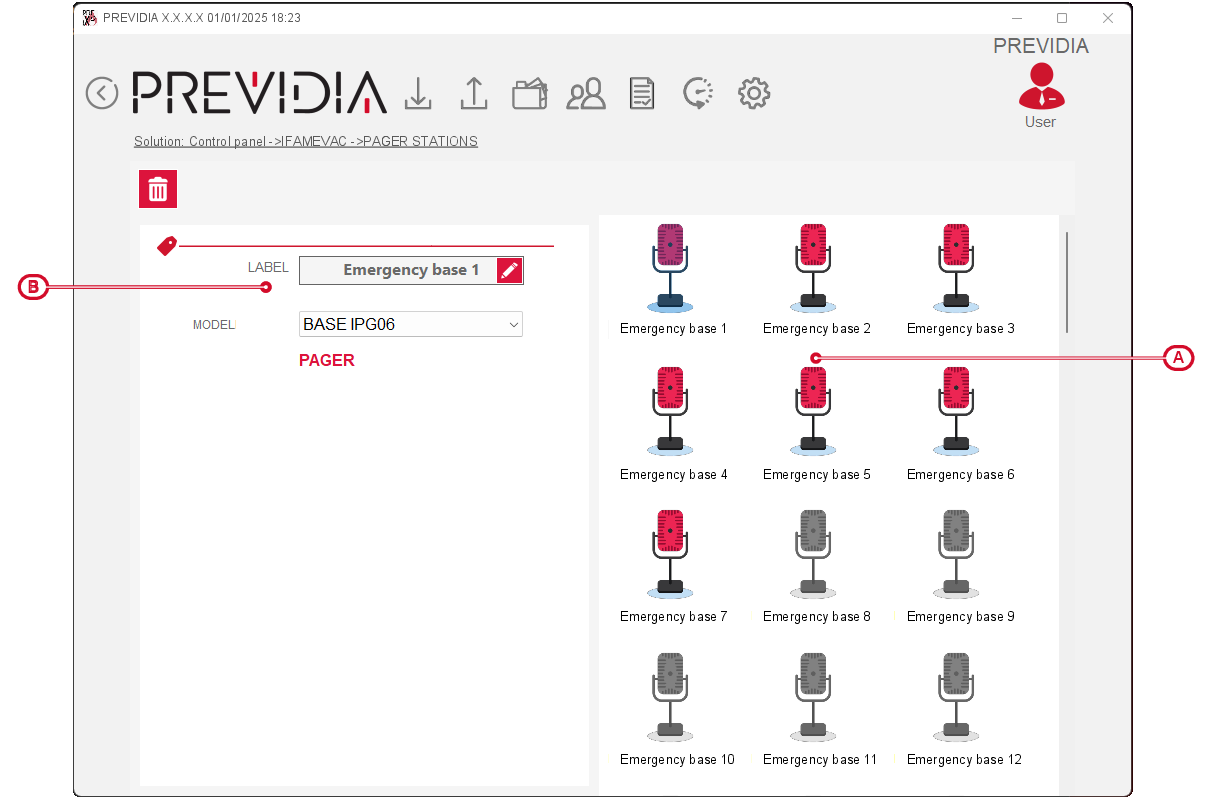
After selecting one of the bases from the list on the right [A], on the left you can view and edit its label and template [B].
The available models are:
-
microphone base with emergency buttons and 6 programmable buttons
-
microphone base with emergency buttons and 18 programmable buttons
-
microphone base with 6 programmable buttons
-
microphone base with 12 programmable buttons
-
microphone base with 18 programmable buttons
-
expansion for microphone base with emergency buttons and 24 programmable buttons
-
expansion for microphone base with 24 programmable buttons
Double clicking on the icon of a base accesses the programming section of the base and the buttons it is equipped with:
|
|
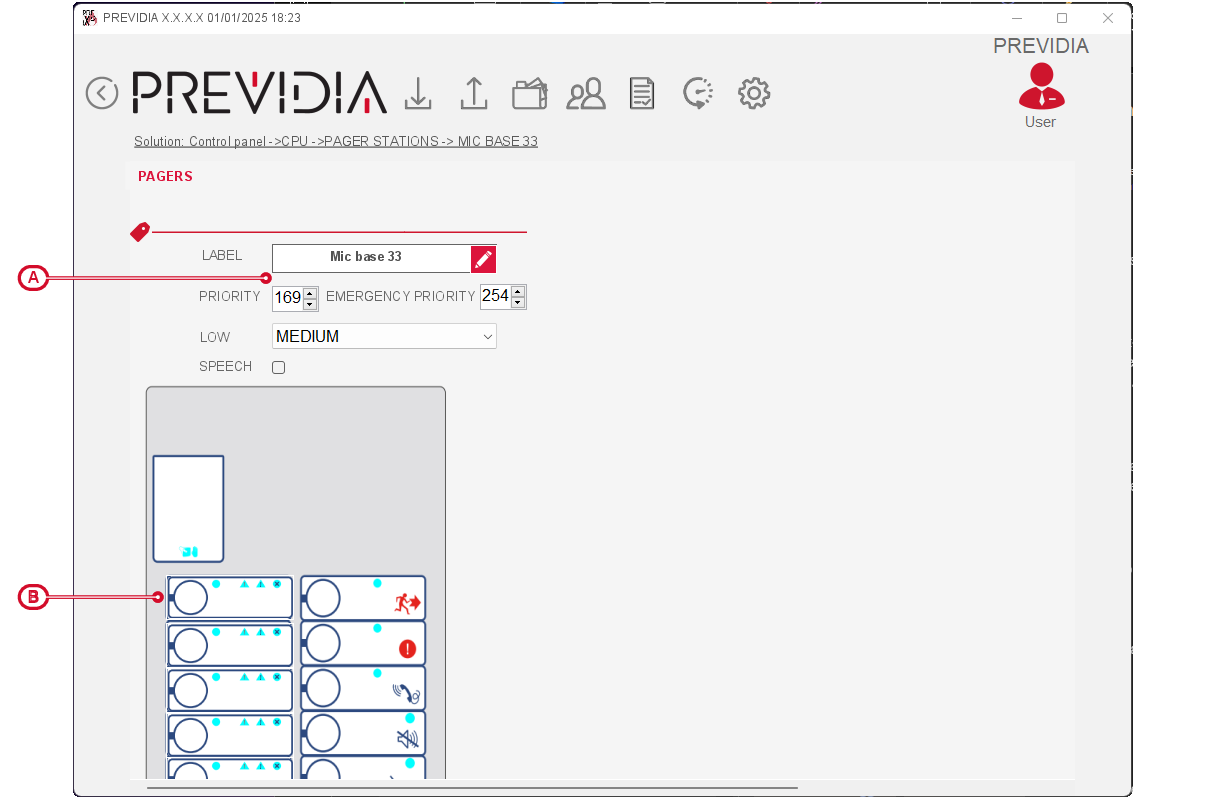
Microphone base parameters

-
Label – 20 character string that the control panel will use to identify the base.
-
Priority – field to indicate the priority of the base signal in standard operating conditions.
-
Priority in emergency – field to indicate the priority of the base signal in emergency conditions.
-
Volume – field to indicate the volume level of the signal of the base.
-
Activate speech filter – speech filter activation option.
-
Master – field, present only for base expansions, where you can indicate the assigned base.
Programmable buttons
By selecting one of the programmable buttons from the base representation below, a window opens where a box appears where you can indicate:
-
Zones – a list appears where you can select the audio zones to which the base signal is addressed
-
Message – the audio file to be played after pressing the button
